

Testimonial on Google Places

Leaving a testimonial on Google Places is now a straightforward and easy process. The first thing you need is a Google account. To set up a Google account go here: https://accounts.google.com/NewAccount
Once signed in you have access to a number of features, these include being able to leave a review for a number of businesses via Google Places.
To leave a testimonial for a business, once signed into Google you need to:
>> Perform a search on Google for the business you are looking for in the same manner you normally would. The example we will use is ‘Alexandra Locksmiths’.
>> You will see a normal search results page, hopefully with the business you have searched for at the top. Rather than click on the search results you should instead click the Maps option at the top of the page.

>> You will then be shown a new page, showing a map and a number of businesses being shown. Choose the business you intend to write a testimonial for using in left hand listings.
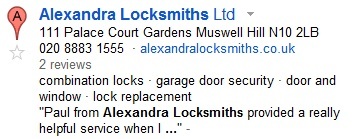
>> This will bring you to a page listing the name of the business along with contact information. Underneath the information is red button asking if you would like to ‘write a review’.
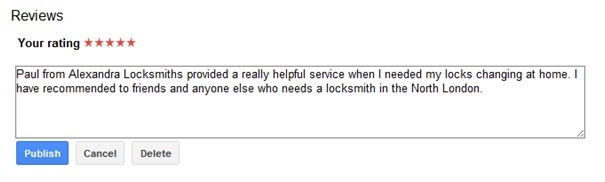
>> Clicking this will bring up a small text window which allows you to type up your review and rate the business or service with the star system provided. All is left is to publish the review with the blue button under the text window.
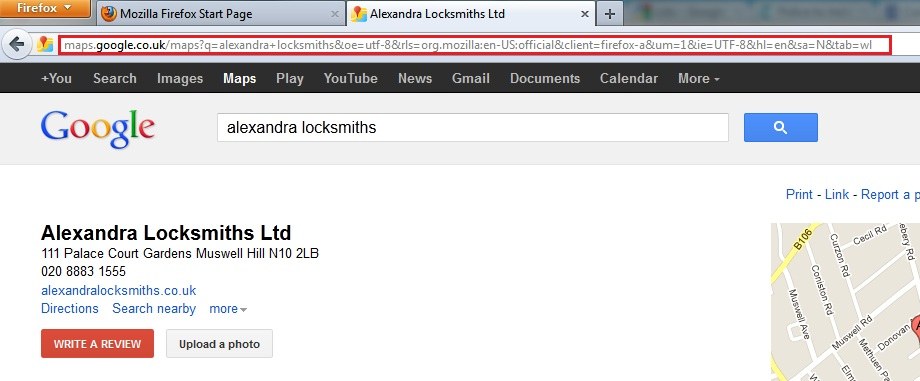
>> To make this process easier for your customers you should provide a direct link to your Google Places business page which enables your customer to write a review quickly without any hassle of having to search for your business via Google. This is done by simply copy the whole web address at the top of the business review page and distributing any way you wish.
We hope the information provided in this how to guide was helpful for you. If you require any further information contact the Innermedia team.